How I Run Four Businesses on One Command Centre
Every system I build for clients, I've already built for myself. This is a look inside the operational infrastructure behind four active businesses — from cross-company project management to AI-powered content production — all built as custom Airtable Interfaces, and now evolving into fully custom React applications.
Two fully custom Airtable Interface systems built to run four businesses — covering operations, content, marketing, budgets, OKRs, and AI-powered production pipelines.
I don't teach systems I haven't built myself.
Before any client gets a system from me, I've already stress-tested it on my own businesses. This case study walks through two layers of the Agency Command Centre — each built for a different business type, each running in production today.
Layer one is a custom-built agency management interface — tasks, projects, OKRs, budgets, and campaigns across every company. Layer two is an AI-powered content and marketing system for an ecommerce brand. Both built entirely in Airtable Interfaces, with the next generation moving to custom React apps.
BigUps — Cross-Company Management Command Centre
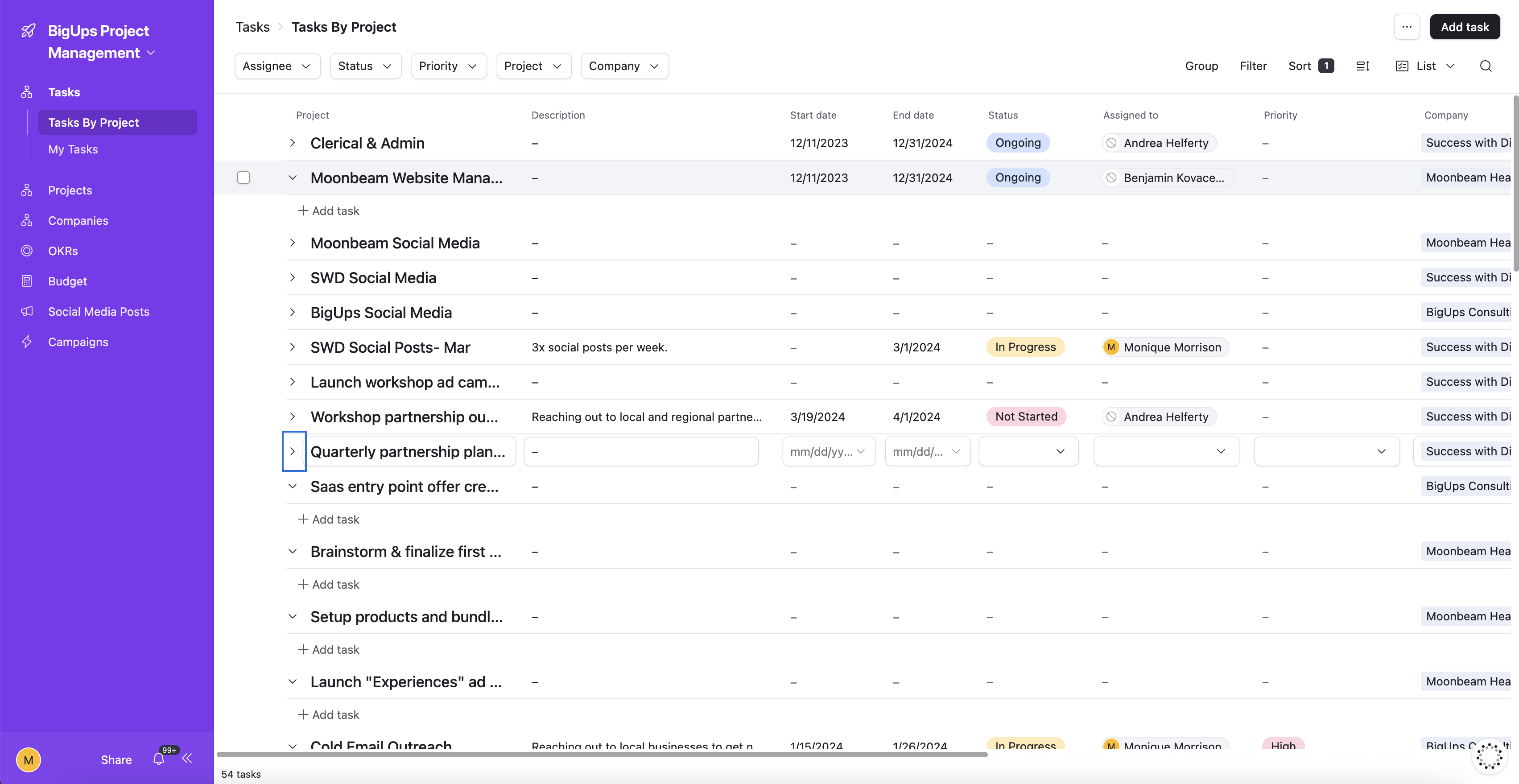
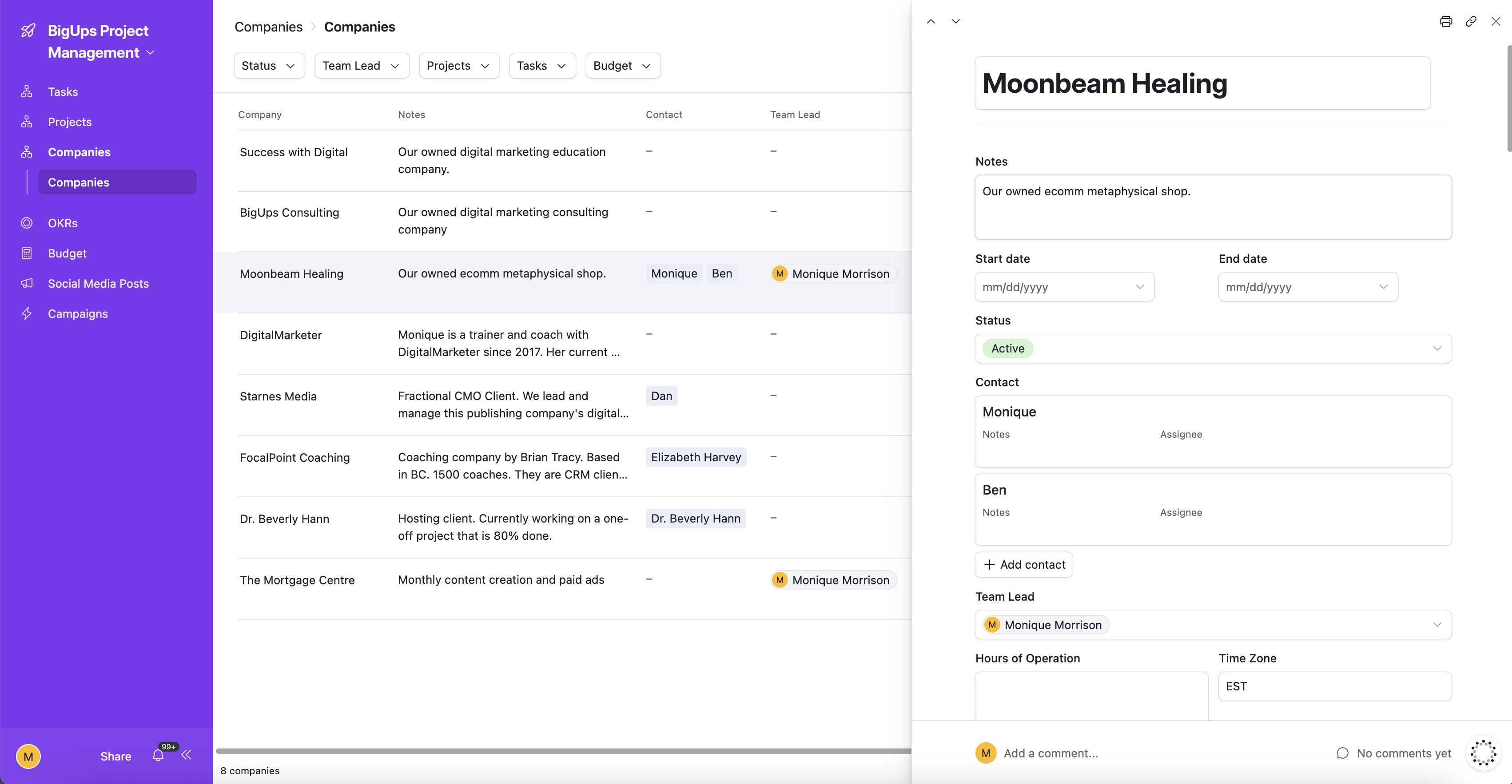
Running four businesses means four sets of projects, clients, team members, budgets, and deadlines — all moving at once. The BigUps Command Centre is a fully custom Airtable Interface I built to give myself a single view across every company without losing context when I switch focus.
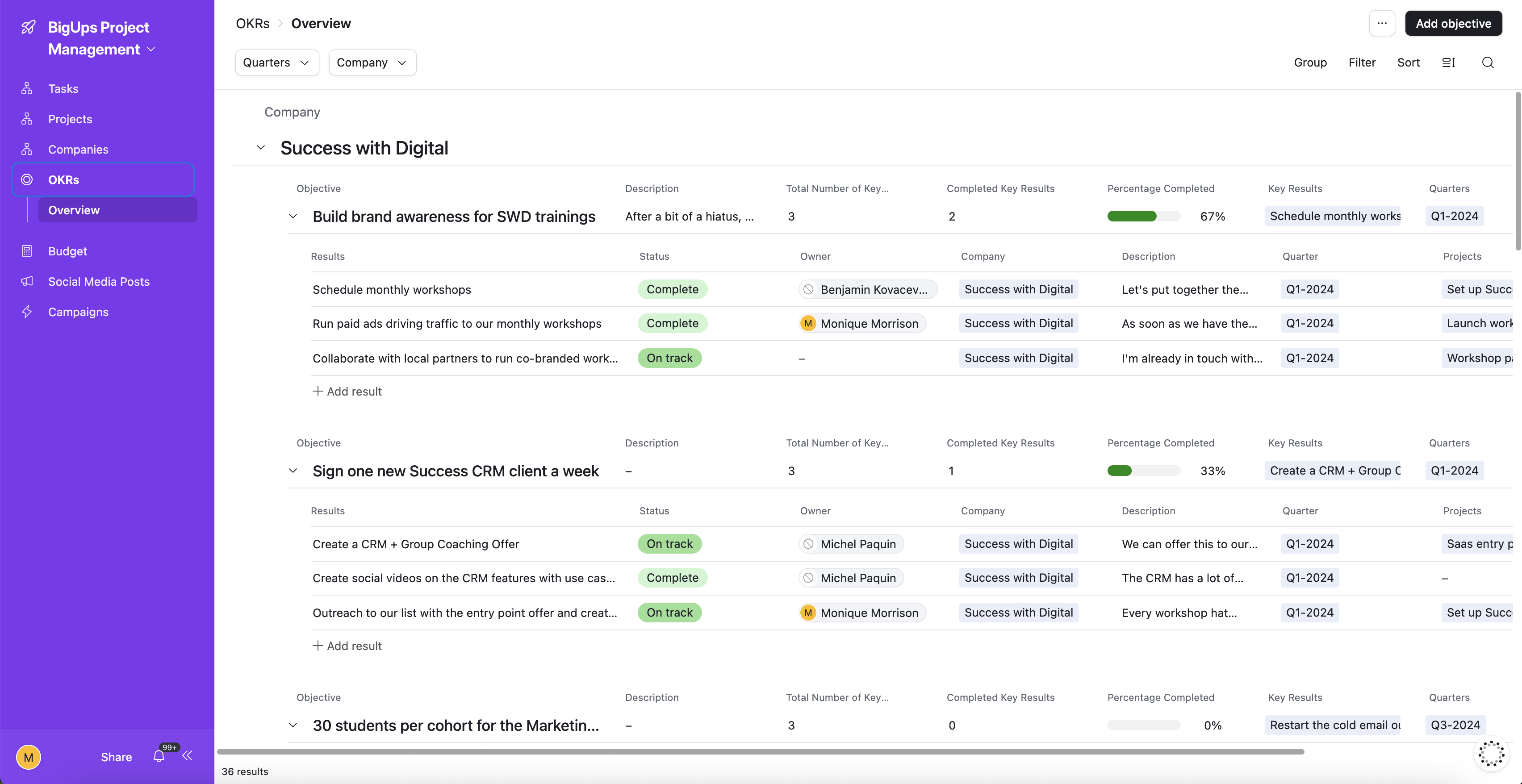
Every company in the portfolio has its own project list, team assignments, and budget tracking — but everything rolls up into a unified view. I can see what's overdue across all businesses in one glance, pull up any company's OKR progress at any point in the quarter, and track campaign performance without toggling between tools.
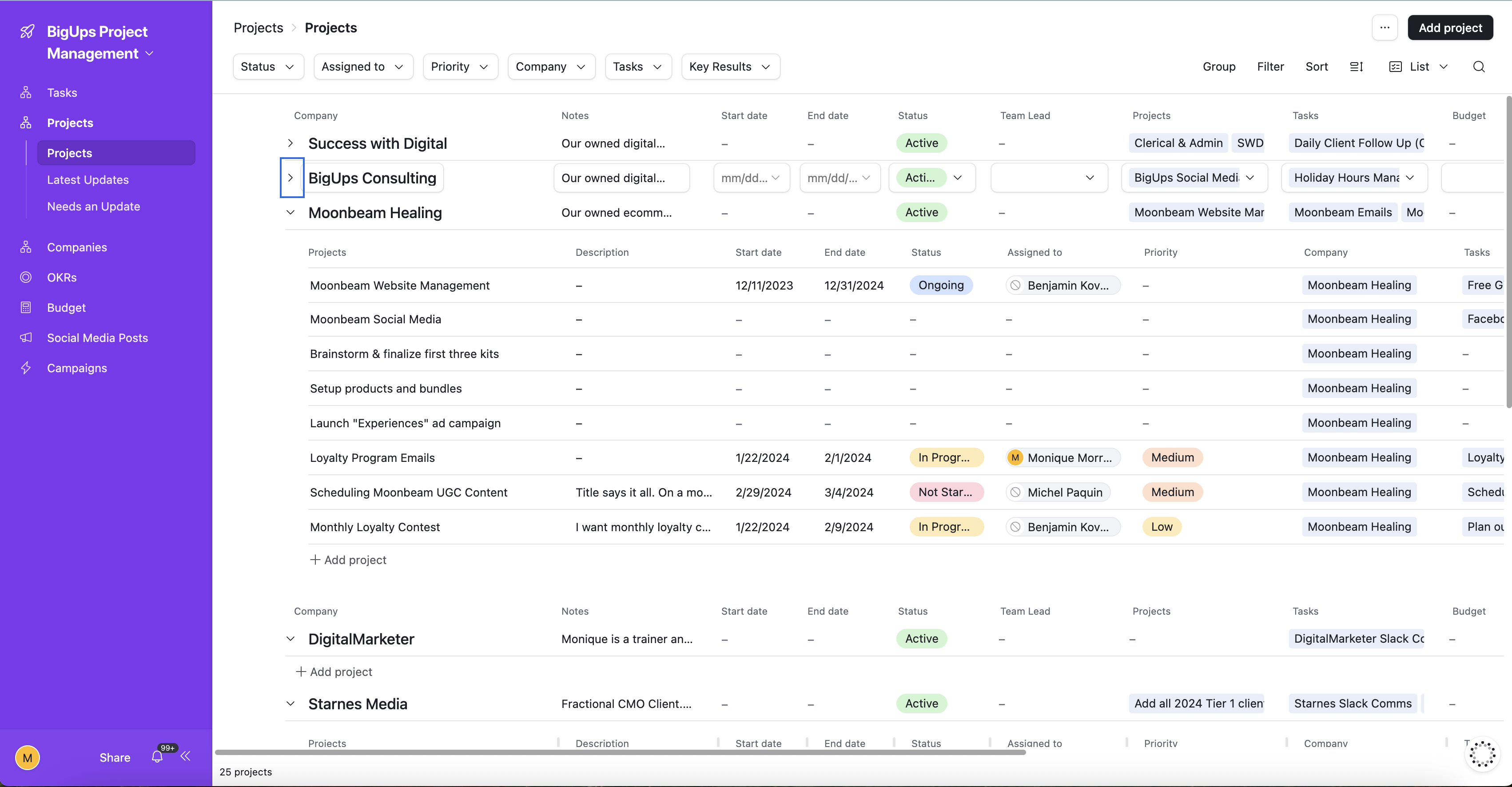
The interface is built around the relationship between Companies → Projects → Tasks → Key Results, so every piece of work is tied to a strategic objective. Nothing exists in isolation — and nothing was bought off the shelf.
- Multi-company task management — Success with Digital, BigUps Consulting, Moonbeam Healing, and more — all in one view
- Projects grouped by company with status, team lead, start/end dates, and linked key results
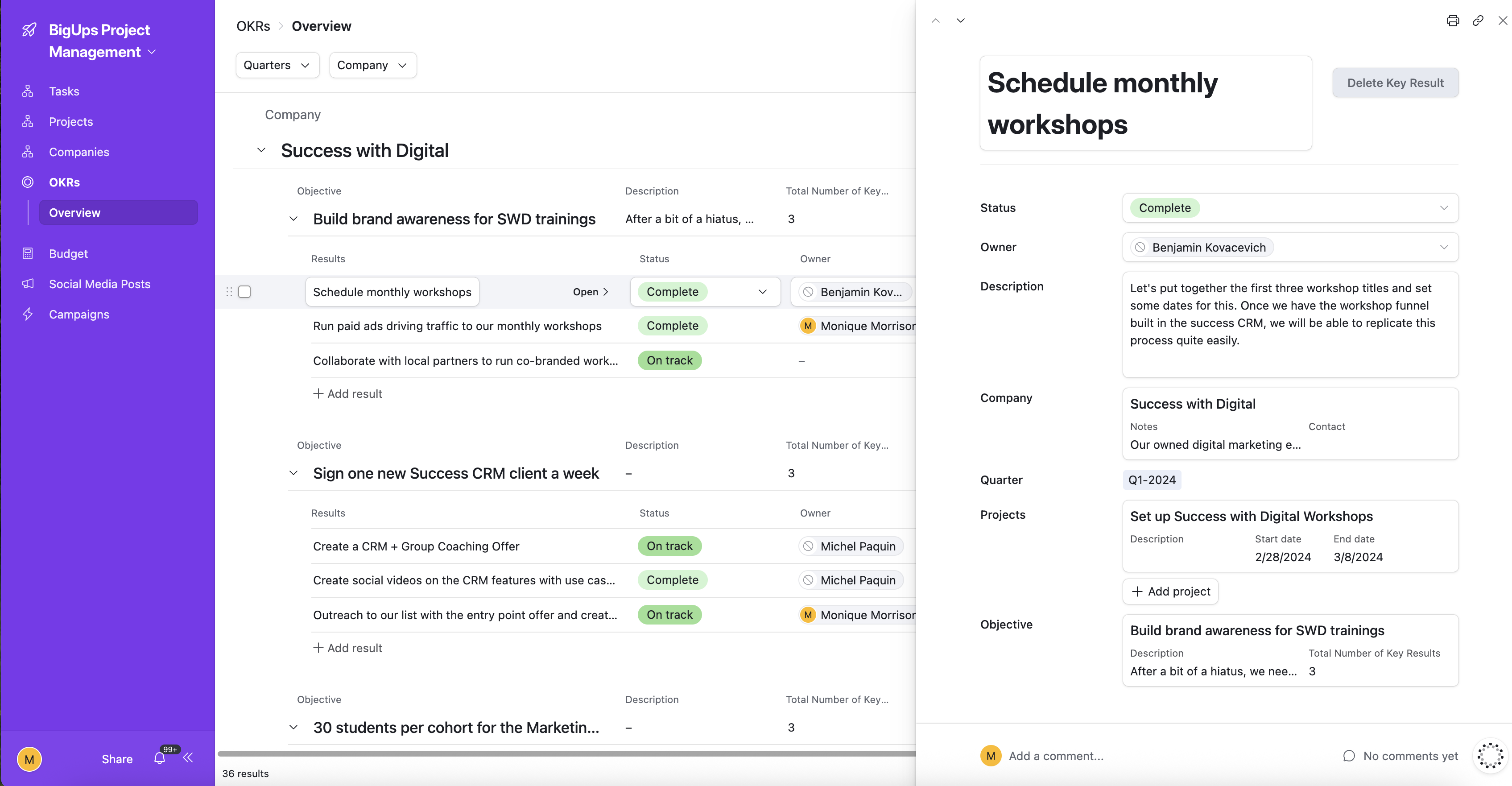
- OKR tracking by company and quarter — objectives, key results, completion percentages, and owners
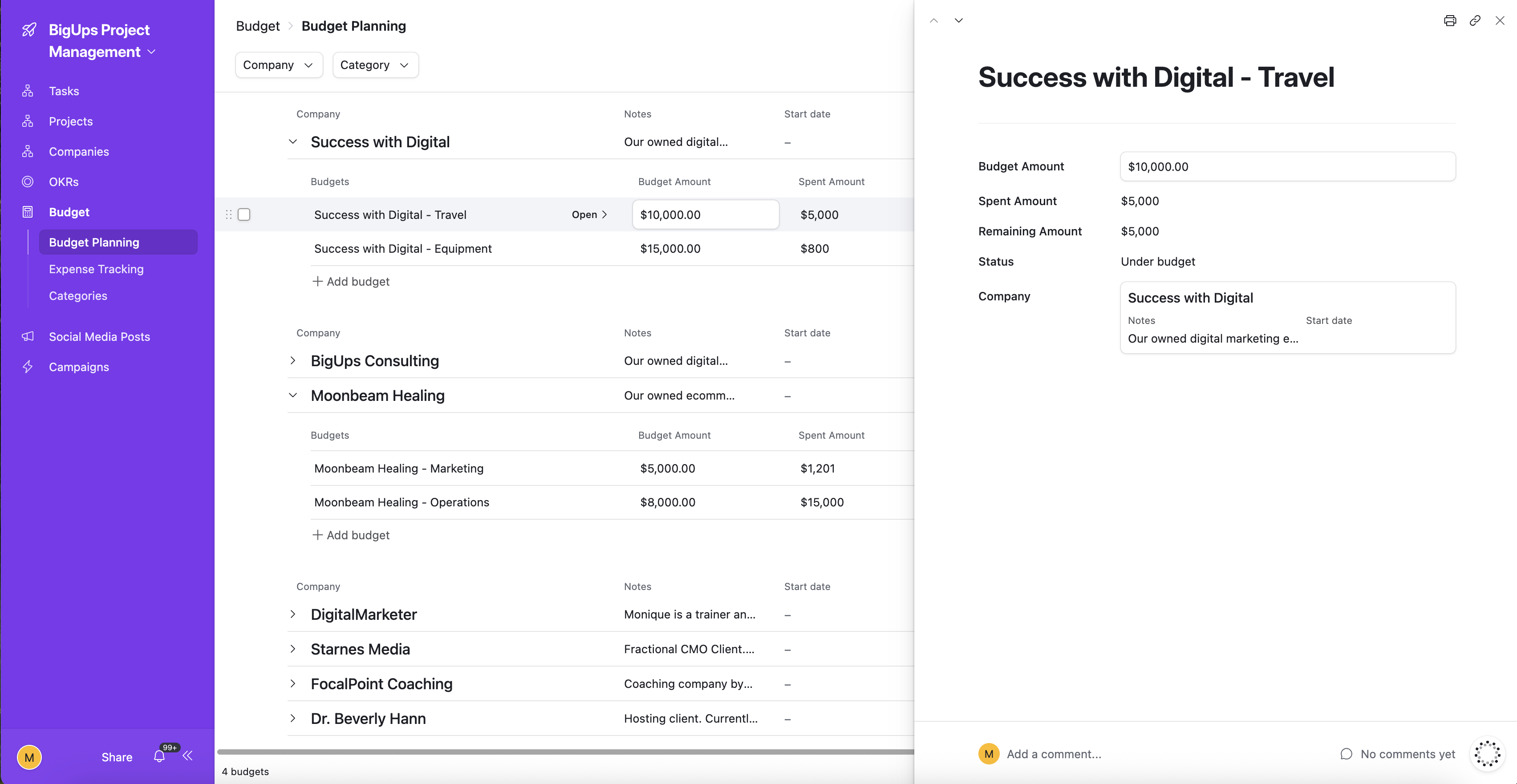
- Budget planning across all companies with category tracking, team leads, and project associations
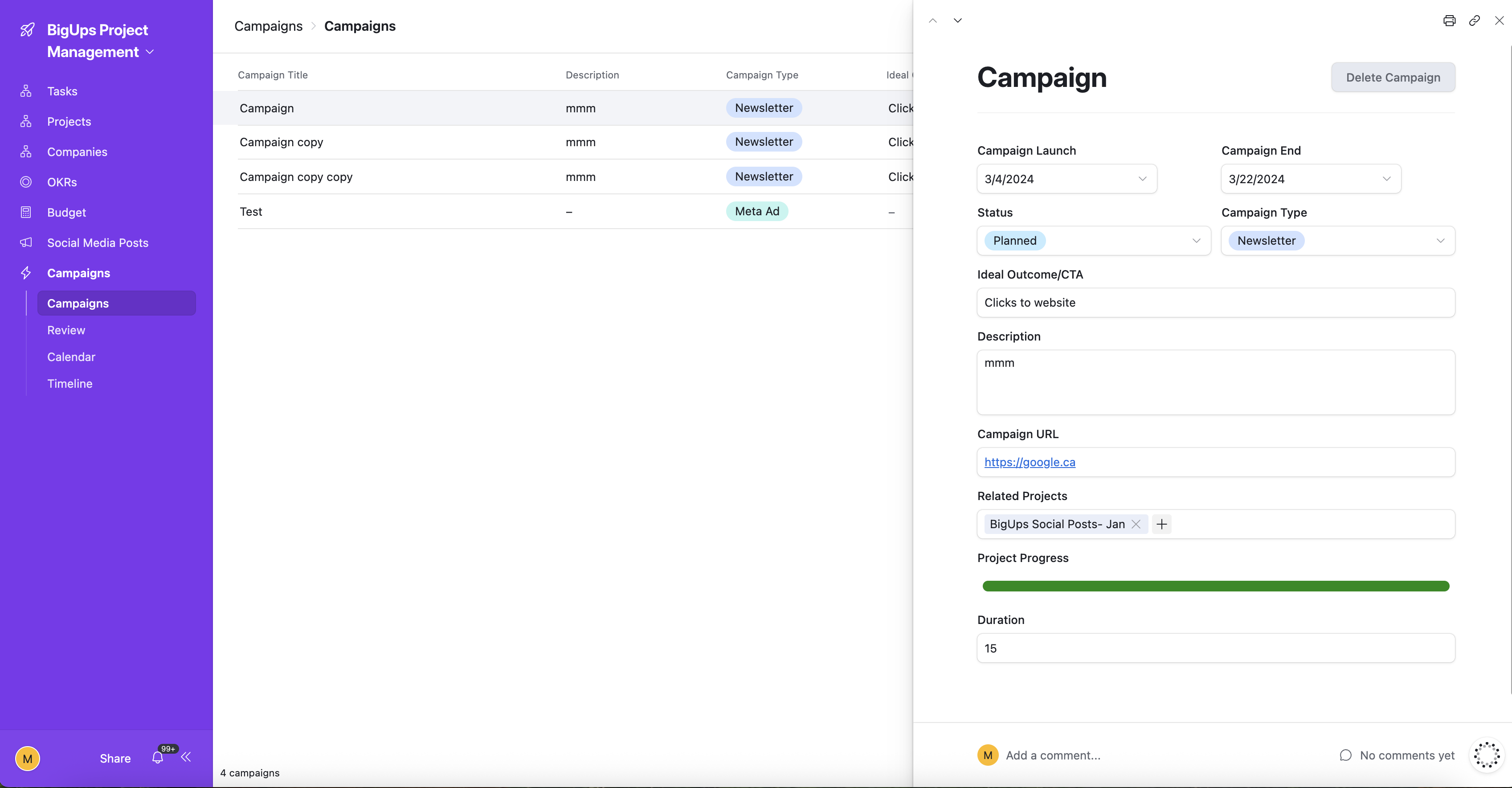
- Campaign management — launch dates, campaign types (Newsletter, Meta), status, CTAs, URLs, and linked projects
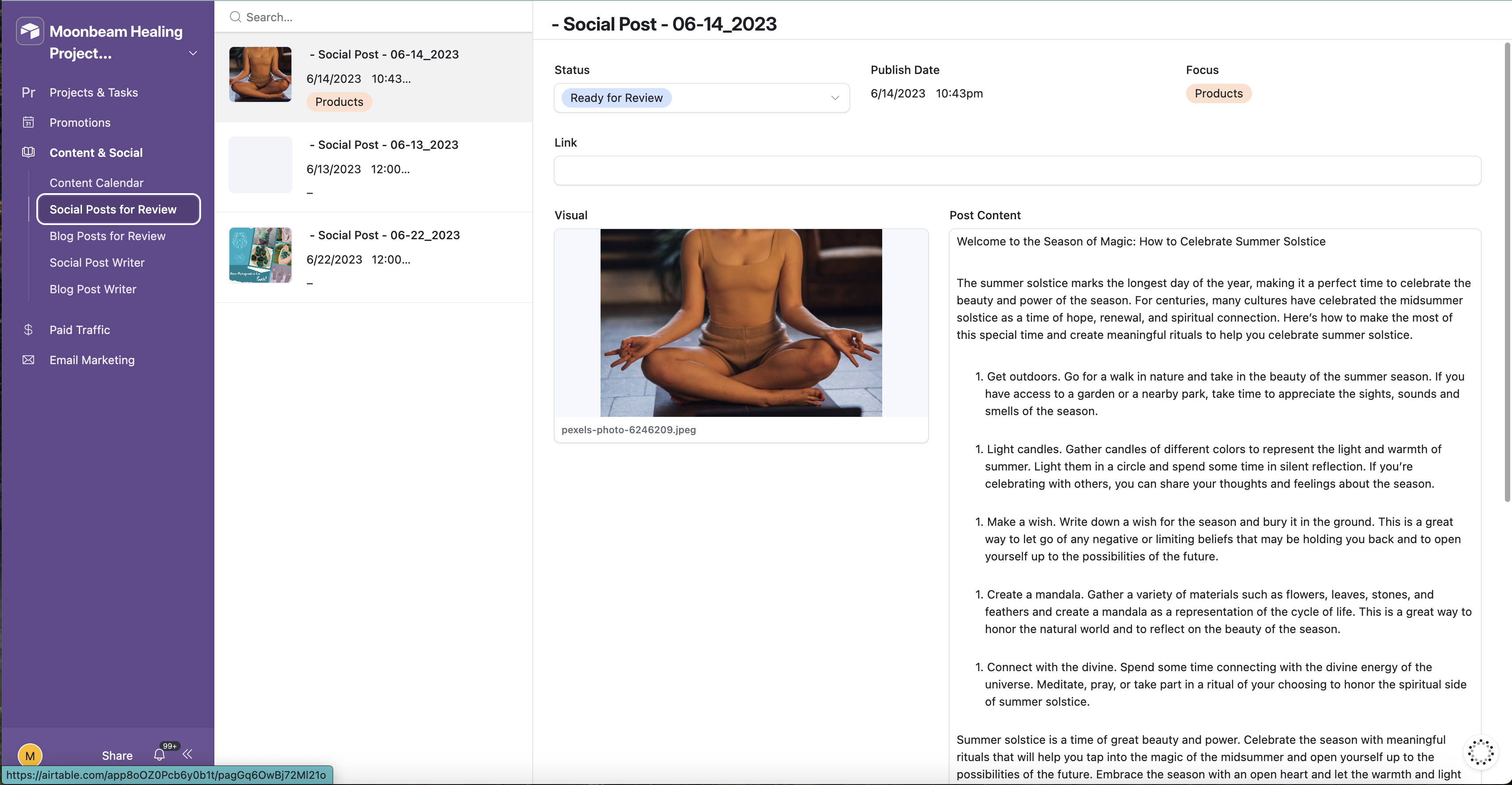
- Social media post tracking per brand — platform, content type, category, status, images, and scheduling
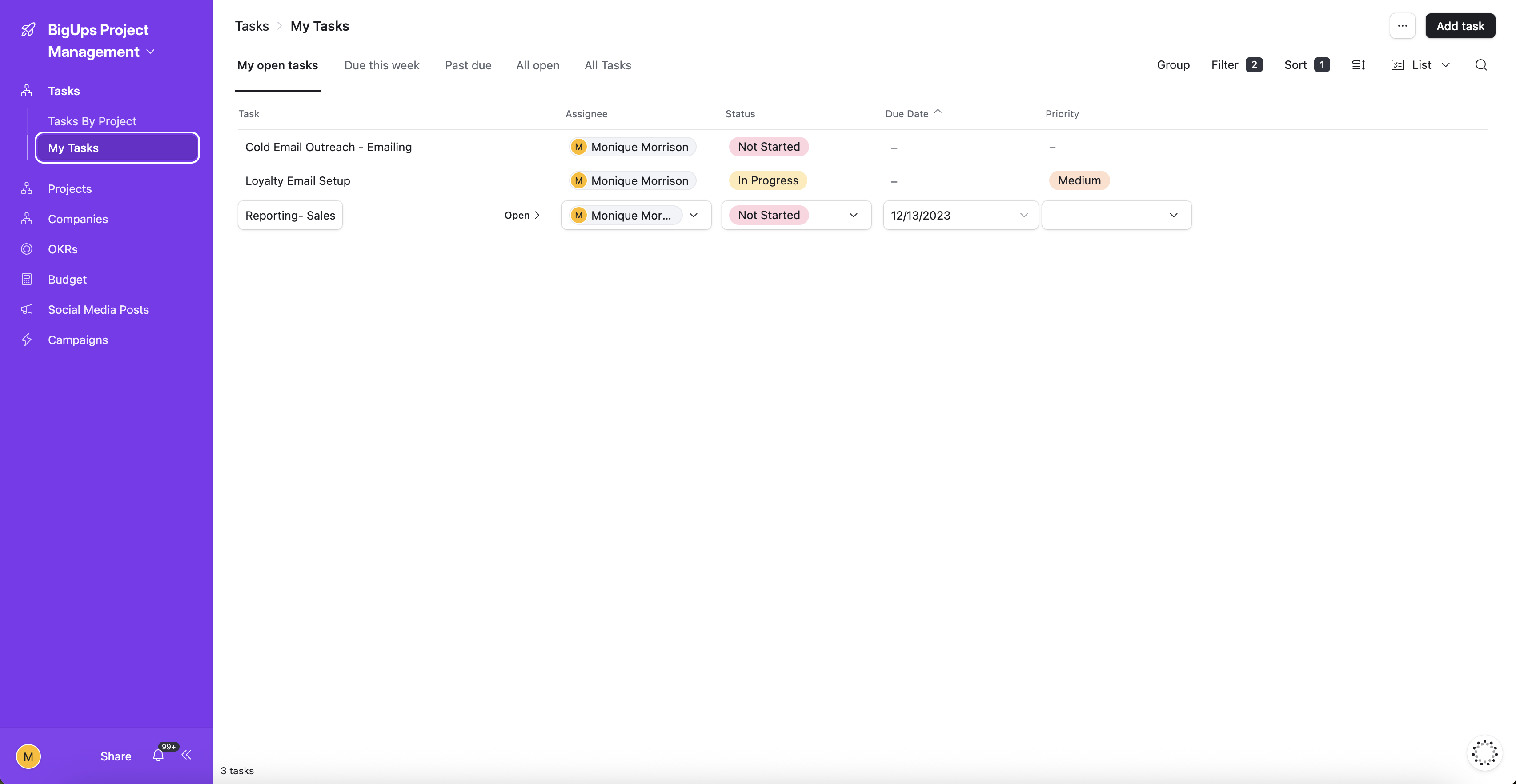
- My Tasks view for personal priority management with assignee, status, and due date
Moonbeam Healing — AI-Powered Content & Marketing Command Centre
Moonbeam Healing is a wellness ecommerce brand that runs on content. The challenge: producing consistent, on-brand social posts, blog articles, newsletters, and paid ads across multiple platforms — without a full content team.
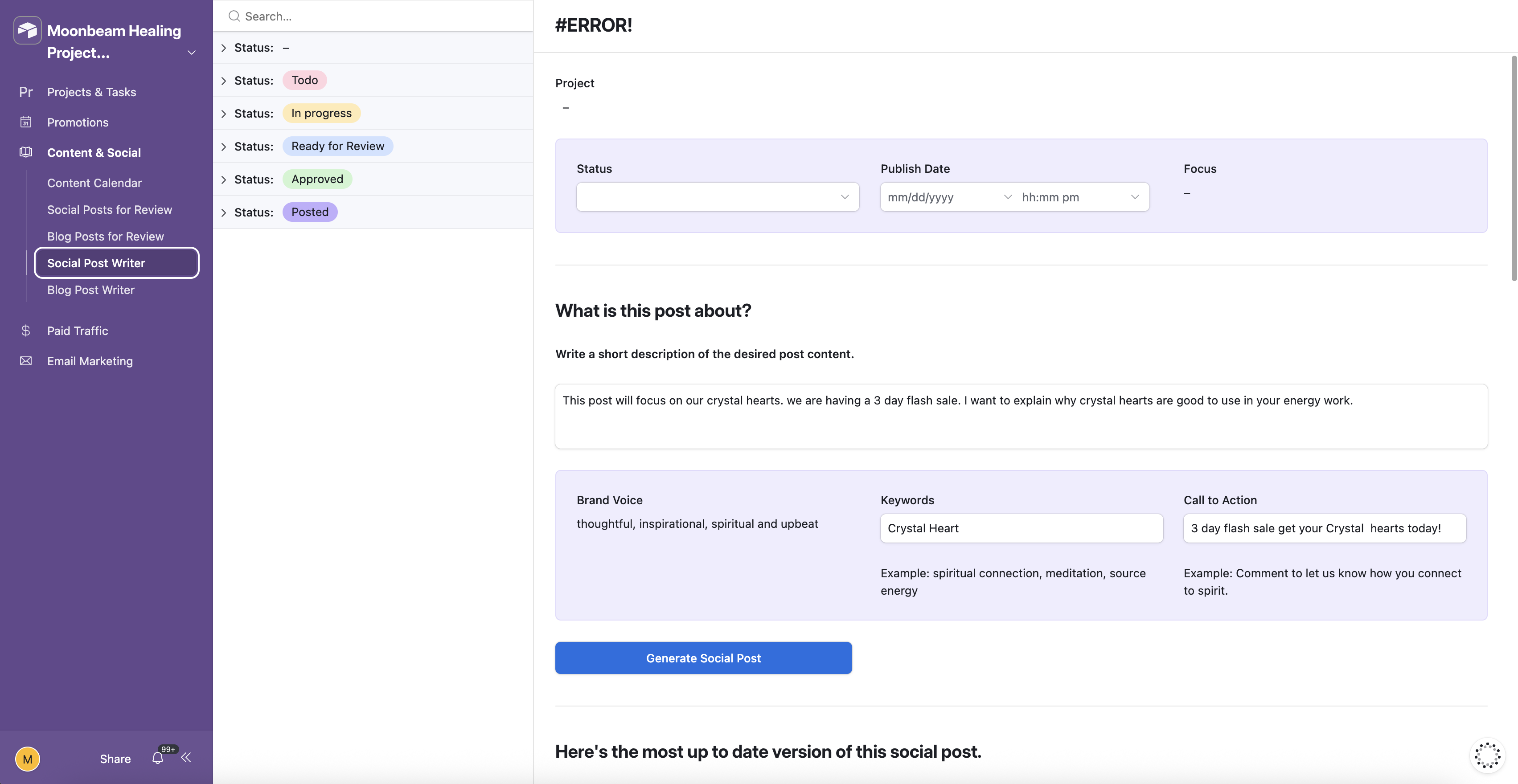
The solution was a fully custom Airtable Interface built around AI generation. Every content type has its own AI workflow: enter the brief, set the brand voice, add keywords and a CTA, and the system generates a full draft. From there, it's review, refine with one click, compare versions, and approve — all inside the interface without touching another tool.
The system is structured around an astrology-driven promotional calendar with 174+ scheduled records — because Moonbeam's audience lives by the lunar cycle. Promotions, content, and ads all connect back to what's happening astronomically, keeping the brand voice consistent and the calendar full.
- Social Post Writer — AI draft generation from brand voice, keywords, topic brief, and CTA. Version comparison and one-click edit requests built in
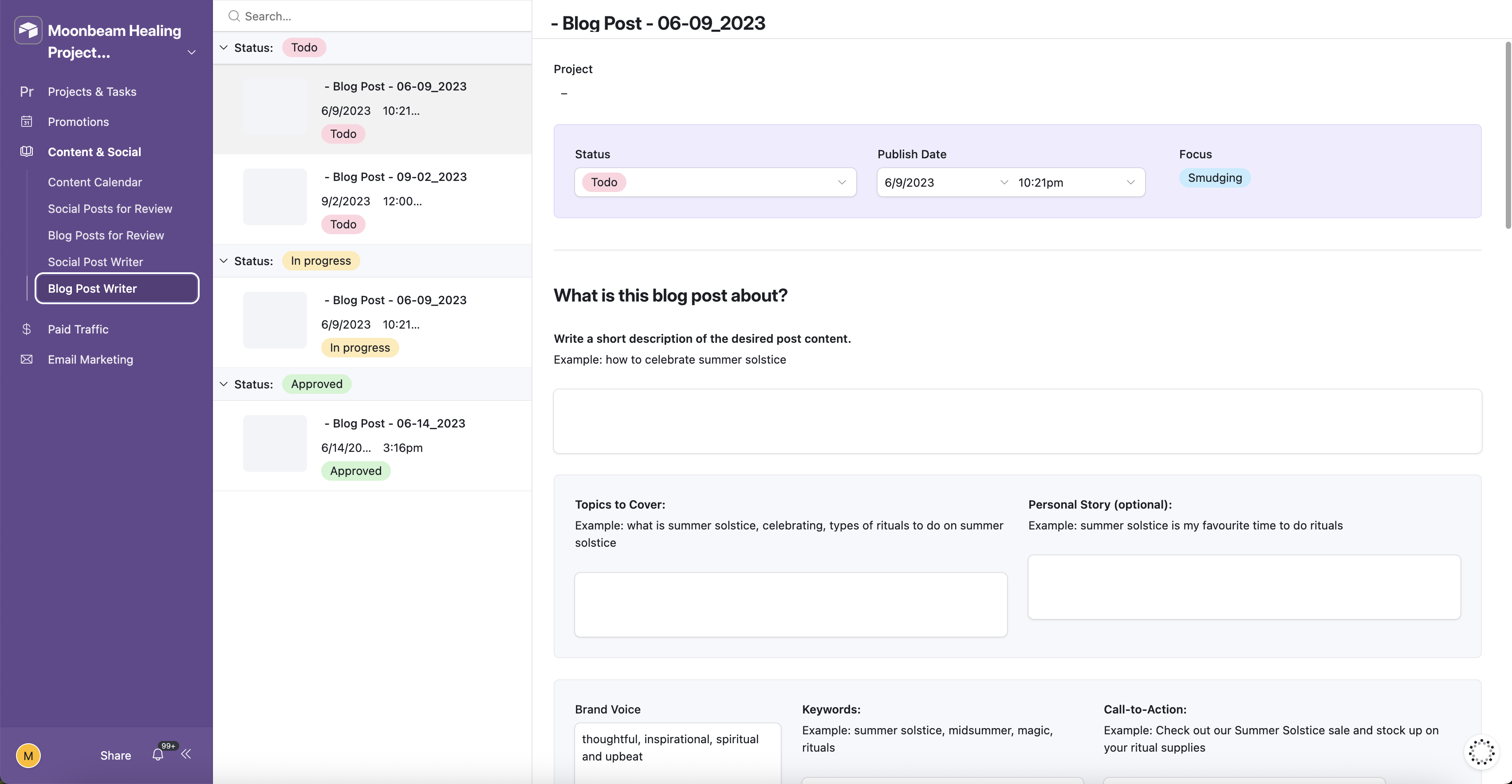
- Blog Post Writer — same AI loop with topic, talking points, personal story hook, brand voice, and CTA. Generate → review → refine → approve → publish
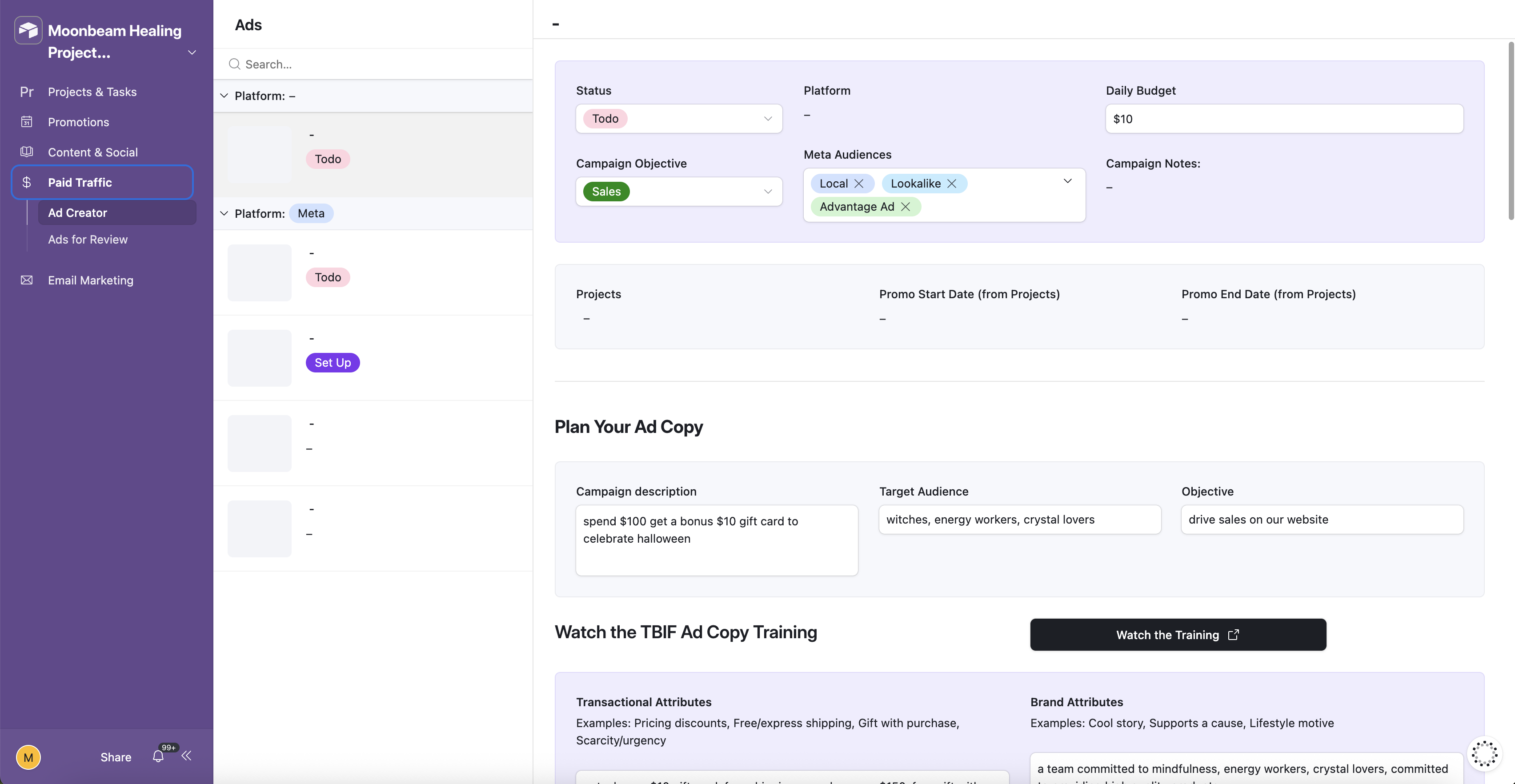
- Ad Creator — structured brief with transactional, brand, influence, and functional attributes → generates 7 copy variations → refined into 5 final ad sets for Meta
- Newsletter Creator — weekly builder with layout selection, linked promotions, auto-generated astrology talking points, and a full review pipeline
- Promotional Calendar — 174+ records, 2-week calendar view, astrology events integrated as promotional triggers
- Review workflows for all content types — Todo → In Progress → Ready for Review → Approved → Posted
- All content tied to promotions, projects, and companies — nothing floating in isolation
"The principle is simple: I won't ask a client to run a system I haven't already run myself. Every workflow in this stack was stress-tested on my own businesses before it ever became a client deliverable."
— Monique Morrison · Systems Strategist · Founder
Active businesses managed from one operational system
AI content pipelines running in parallel — social, blog, and ads
Promotional records mapped across a full annual calendar
Additional content tools needed outside the Airtable system
The foundation for both Command Centres. All data architecture, relational structure, and automation logic lives here.
Every view is a purpose-built Interface — not raw tables. Each workflow has its own UI with specific inputs, generate buttons, version comparison, and review pipelines.
AI generation baked directly into Airtable workflows — social posts, blog articles, ad copy, newsletter talking points, and excerpts generated on demand.
The next generation of these Command Centres is being rebuilt as fully custom React applications — moving beyond Airtable Interfaces into purpose-built software owned entirely by the business.
Your Business Deserves the Same Infrastructure.
Whether you need a done-for-you system build or want to learn to build it yourself — there's a path for you inside Automate & Elevate.